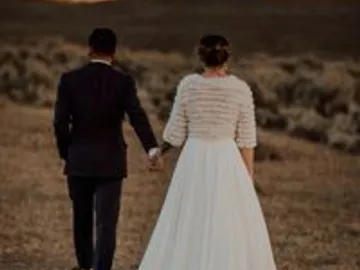







Grid.
Scan, sort, cull, and retrieve at speed. Adjust the density and keep your hands on the keyboard.
A Mac app for photographers · Early access
Tired of digging through Dropbox, Lightroom exports, and old drives? Orbit turns your whole archive into one searchable memory you can ask by moment, wedding, tag, or color.
macOS · no account · your library never leaves your Mac
Scroll to explore
Sixteen years of work,
scattered across a dozen drives.
Orbit pulls it into
one searchable memory.
Keep the archive you already have
Point Orbit at your Pixieset downloads, Lightroom exports, Finder folders, and old drives. Orbit builds a searchable view around them—nothing to rebuild and no originals to move.
01 One archive, three ways in
The view changes with the job. The photographs, selections, ratings, and place in the archive stay with you.
Scan, sort, cull, and retrieve at speed. Adjust the density and keep your hands on the keyboard.
Move photographs into relationships. Compare frames, form a sequence, and leave room for what is missing.
Pan and zoom freely in every direction. Remove the edges and wander until a forgotten frame catches your eye.
A Search
Type how you'd describe the moment, not a filename. "Golden hour, outdoor, never posted" and it's in front of you. Orbit reads every frame on-device, so it understands what is actually in the photo.
See it in action
B Rediscover
Orbit resurfaces your own work: never-posted gems, last spring's drive, the frame you forgot you shot. Your home screen feels alive, not like a file browser.

C Deliver
The florist wants their shots from the Smith wedding. Search the moment, select the keepers, and send. You answer before the email goes cold, and every vendor remembers who made it easy.
02 The whole working system
Orbit keeps the archive, the decision, and the evidence connected. Use only the layers you need; turn the smart ones off when you want a quiet library.
Find
Natural-language search. Describe the photograph instead of remembering its filename.
Related photographs. Move from one frame into the visual neighborhood around it.
Weddings, tags, and vendors. Return through the language of the actual job.
See
Grid, Canvas, Infinity. Scan, arrange, or roam without changing the underlying archive.
Focus and Quick Look. Remove competing chrome and inspect the photograph at Fit, Fill, or 100%.
Remember your place. View, position, density, and sorting return the way you left them.
Choose
Ratings and color labels. Keep the Lightroom vocabulary already attached to the work.
Never Posted and Strong Unused. Surface photographs that still have work to do.
Daily Desk. Get a small, reasoned shortlist instead of another endless folder.
Organize
Galleries and Weddings. Keep hand-built selections distinct from event-derived groups.
People Beta. On-device grouping for private retrieval; never guest recognition on a published portal.
Context everywhere. Rename, edit, and manage groupings with the same direct interactions.
Post and learn
Posting Sequence. Turn a candidate into the next piece of work instead of losing it again.
Published history. Mark what has already been posted and keep rerolls from repeating it.
Performance evidence. Join saves and shares back to comparable posts with sample size and limitations.
Protect
Local originals. Orbit indexes in place and never moves, renames, or uploads the source files.
External-drive confidence. Cached previews keep the archive legible while locations are checked and relinked.
Optional web access. Sync selected derivatives for browser access without putting originals in the cloud.
03 See it in action
No setup and no folders. Watch a full archive go from scattered across a dozen drives to one answer, in a single search.
From the maker
Orbit is built by a working wedding photographer, for his own archive first. Sixteen years of Saturdays, every drive you can imagine. If a feature doesn't survive a real wedding week, it doesn't ship.
04 Private by design
Orbit reads and indexes the archive locally, leaving every original exactly where it already lives. Browser access is optional and syncs only derived previews you choose—not the source files on your drives.
Sys.02 Privacy posture
Local desktop
Open the Mac app and search without moving the archive into a new storage system.
Local-first
Runs entirely on your machine, indexing in the background. Works offline.
On-device AI
Analysis happens locally. Optional web sync uses derivatives and keeps the originals private.
Wedding and event photographers with years of work spread across drives, exports, and old backups. If you have ever lost a photo you know you shot, Orbit is for you.
Your originals stay on your Mac. Orbit indexes locally. Optional web access syncs only the derived previews you choose to make available; it never moves or uploads your originals.
Type how you remember a photo, not a filename. Orbit understands what is in each frame, so you can ask by moment, color, vendor, or vibe, like "golden hour ceremony, never posted."
No. Orbit works out of the box from what is in your photos. Tags are optional, for when you want your own labels like #first-look or a client's name on top of natural search.
Orbit currently indexes JPEG, PNG, HEIC, HEIF, WebP, AVIF, TIFF, GIF, and BMP files in place. For RAW work, point Orbit at your rendered Lightroom or delivery exports while native RAW support is still in development.
Yes. Publish a gallery from Orbit and you get a private link anyone can open, view, and download from. Publishing is optional and per-gallery. Only the photos you choose to publish leave your Mac, and your originals stay put. See a live gallery ↗
05 What's next
Follow along on the changelog.

Early access · Built for Mac
macOS 13+ · Apple silicon & Intel · no account
No account needed. Your archive stays on your Mac.